
Point of sale
Sell in person from the same stock as your online store. The point of sale is called Counter in the sidebar.
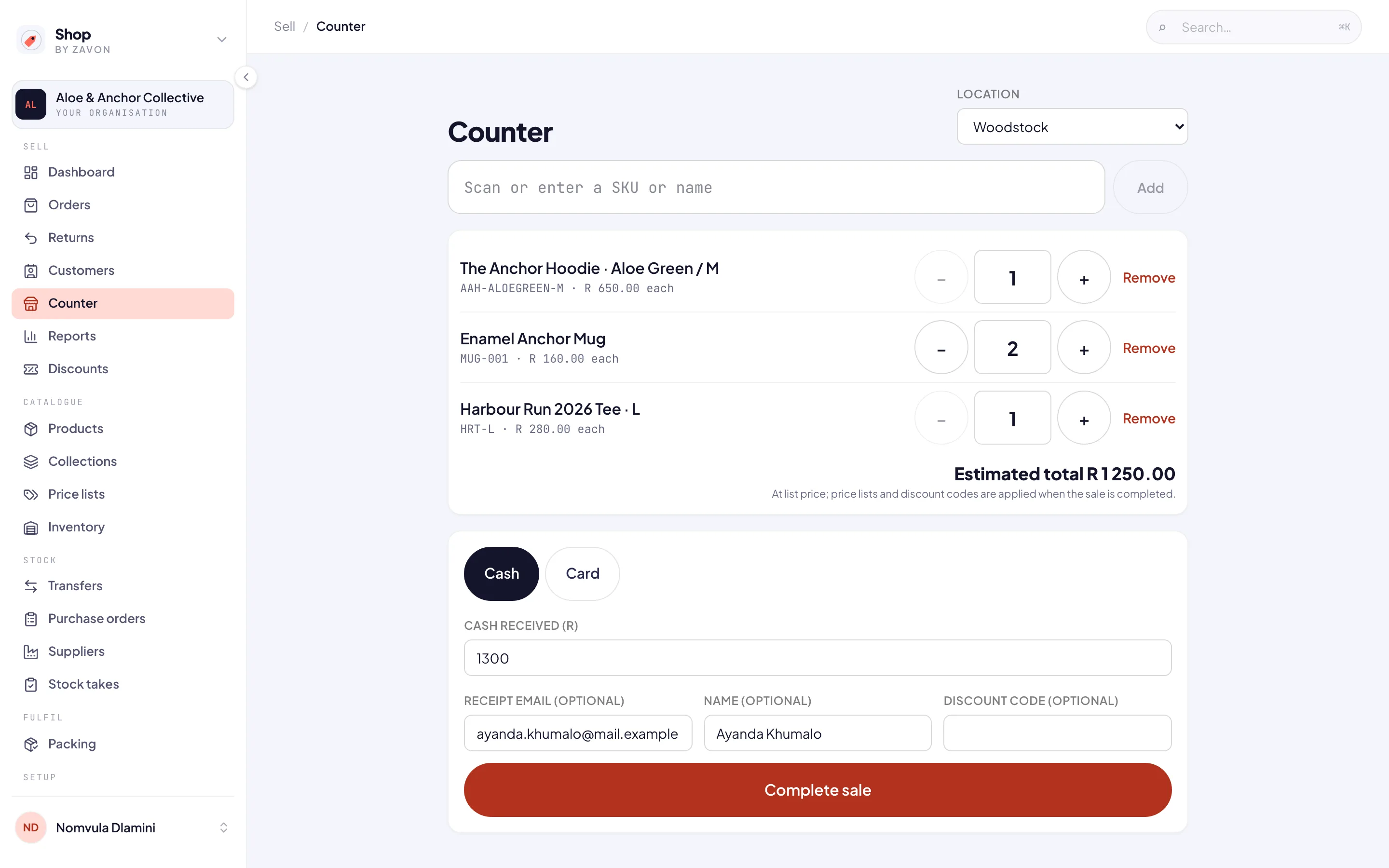
Ring up a sale
Open the counter
In the sidebar, under Sell, choose Counter. Choose the Location you are selling from; with one location it is chosen for you.
Add items
Scan, or type a SKU or name into Scan or enter a SKU or name, and choose Add. Change quantities on each line, or Remove one.
Take payment
Under Payment method, choose Cash and enter Cash received (R), or Card and enter the Card slip number from your card machine.
Receipt and discount
Optionally enter a Receipt email (optional), a Name (optional) and a Discount code (optional).
Complete it
Choose Complete sale. The screen shows the change due (or the card slip), and New sale starts the next one.
Good to know
Card payments are taken on your own card machine; the counter records the slip number.
Receipts are emailed. To send one again, open the order under Orders and choose Resend receipt.
The total shown is an estimate at list price; price lists and discount codes are applied when the sale is completed.
If the connection drops, choosing Complete sale again is safe: the sale is not taken twice.
Only active products can be sold, and selling at the counter needs permission to manage orders.