
Upcoming events in a newsletter
Overview
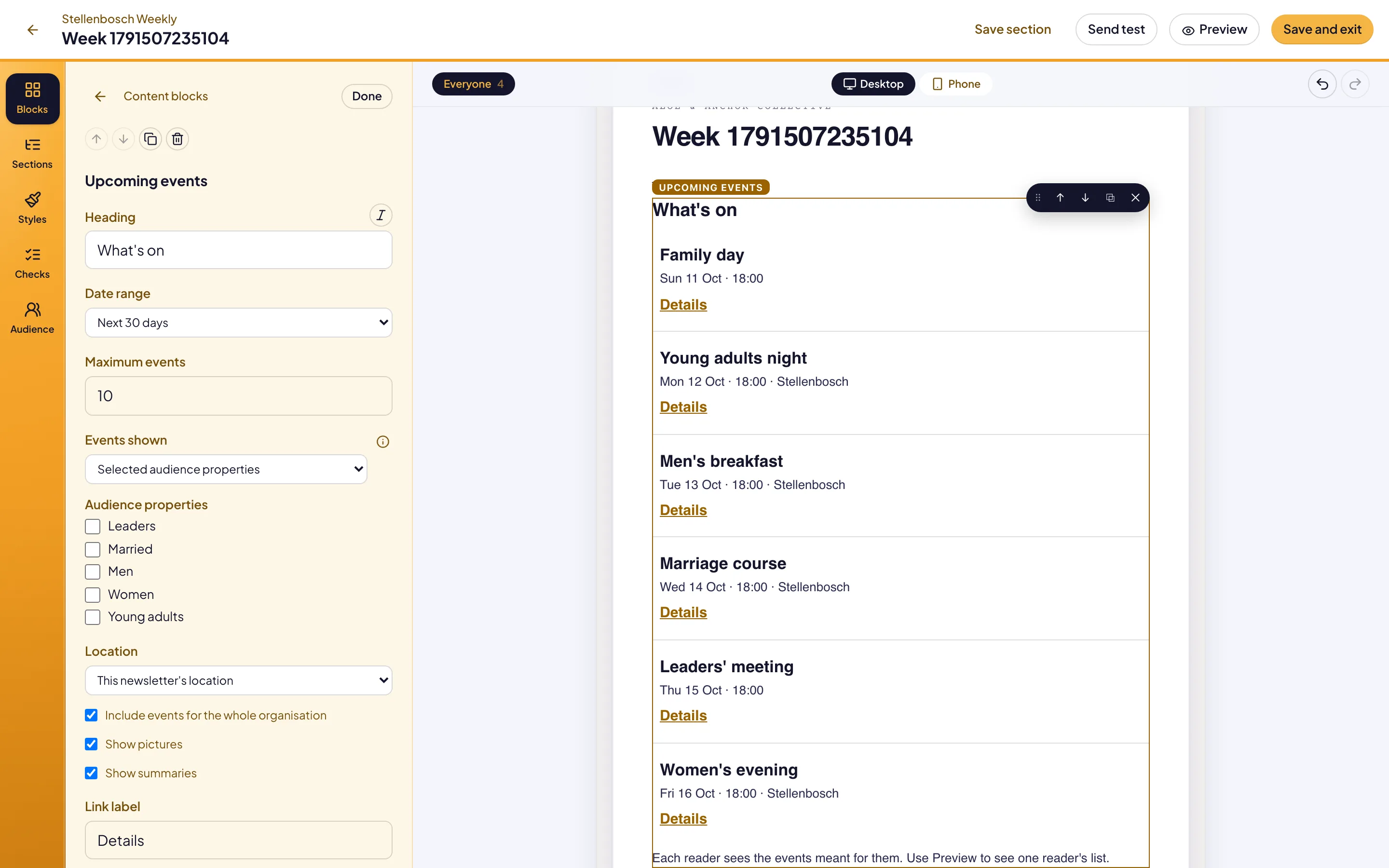
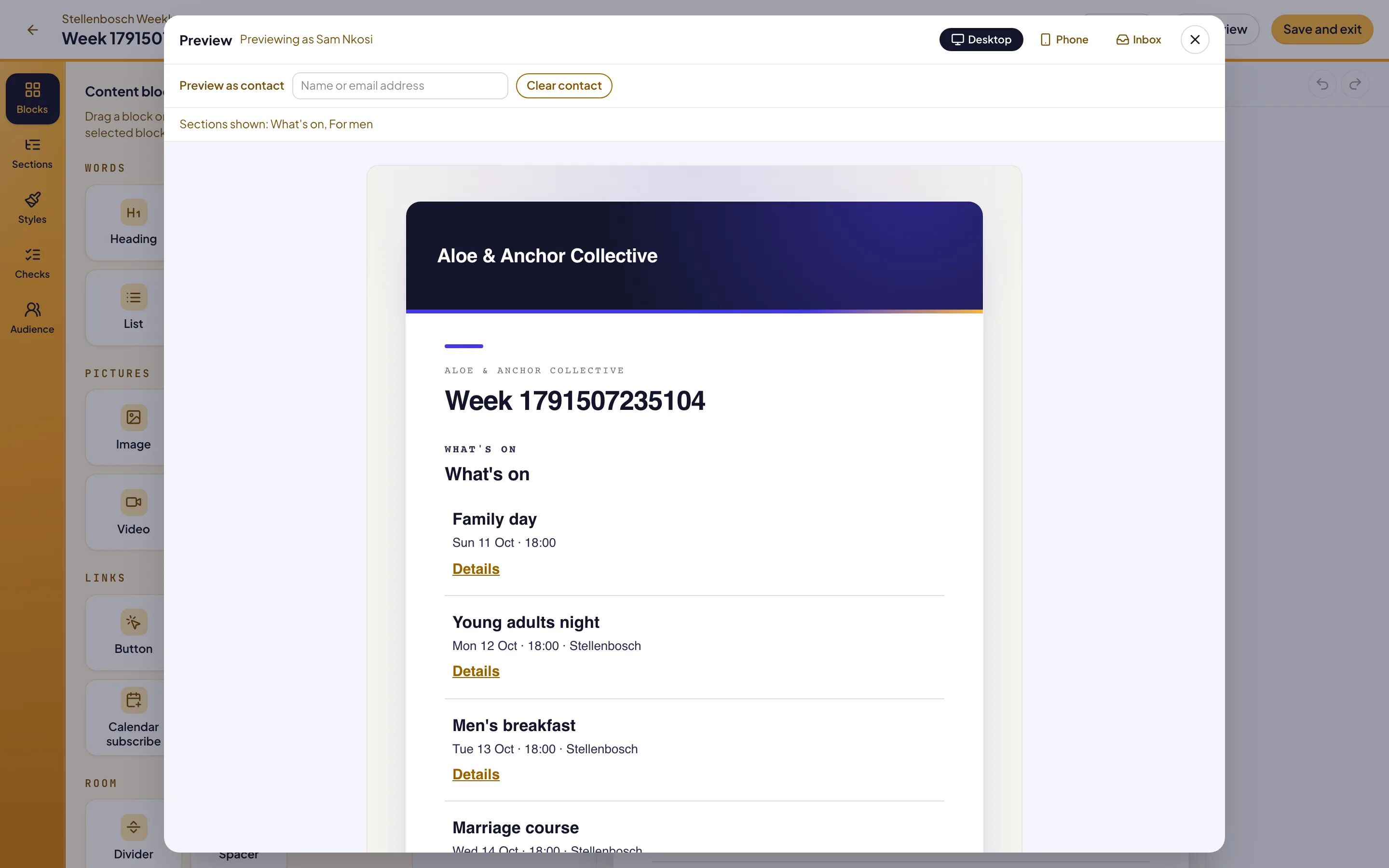
The Upcoming events block lists events from your website in a newsletter. Reach reads the events when it sends the issue, and chooses them for each reader. A young adult sees events for everyone and events for young adults. A newsletter for one location lists that location’s events.
Before you start
Your events must be published on your website. To aim an event at some readers, set its Audience in Pages. Make the audience properties first, under People › Audiences in Reach.
Set who an event is for
Open the event
In Pages, open the event. On the Location step, find Audience.
Choose the audience
Set Audience to Everyone, or to Selected audience properties. Then select the properties.
Use the programme’s
Leave Audience on Same as programme to use the programme’s audience.
Troubleshooting
If the block is missing from a reader’s email, they had no events in the date range. Reach leaves an empty block out.
If an event is missing, check that it is published and inside the Date range. Then check its Audience in Pages.
If the editor shows sample events, the website could not be read yet. The email still uses the events at the time it is sent.
Good to know
Read when sent. An event published after you schedule the issue is in the email.
Whole-organisation events. Events with no location are listed for every location. Clear Include events for the whole organisation to leave them out.
Audience properties: the names events are aimed with.
Show a section to some contacts: sections for some readers.
Send a newsletter: design, test and send an issue.