
Activity
Overview
Activity is the record of changes made in the Pages console. Each line says who changed what, when, and how they signed in. Open a line to see each field before and after the change.
Before you start
Your role needs Read on Activity. You see only the lines about things your role can read. See Roles and access.
Find a change
Open Activity
In the sidebar, select People › Activity. The newest changes show first.
Search
Type a user, an action or an item in the search box.
Set the dates
Set From and To to show the changes between two dates.
Filter by user or item
Select the filter button beside the Action heading. Select a User, Item type, Location or Programme. Select Apply.
Filter by sign-in
To show one way of signing in, select the filter button beside Sign-in method.
Turn the page
Select Older to see earlier changes. Select Newer to go back.
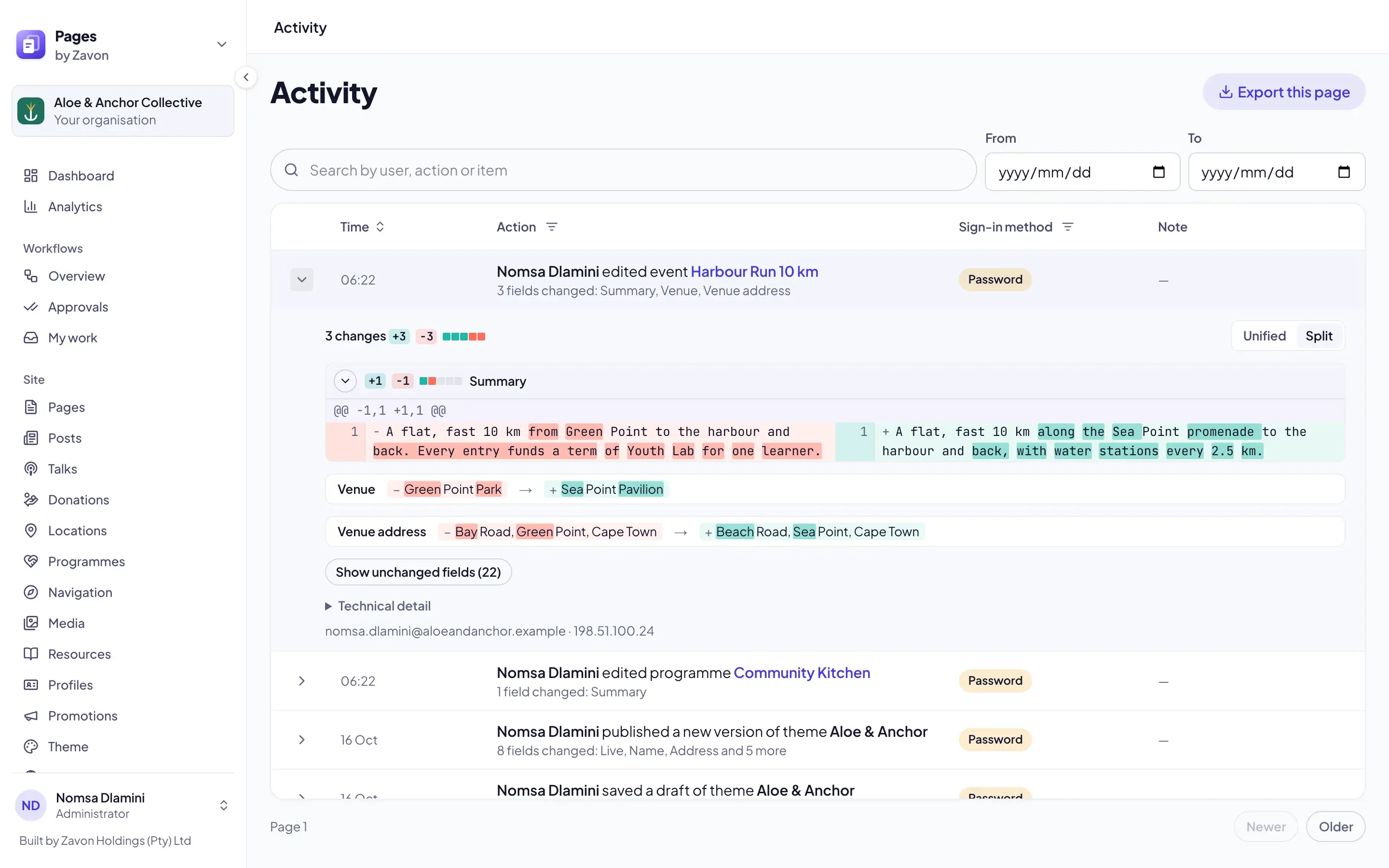
Read a change
Open a line
Select the arrow at the start of a line. Each field that changed opens below it.
Read the fields
Read each field’s old and new value. The words that changed are marked.
Switch the view
Select Split to see before and after side by side. Select Unified to see them in one column.
Show the rest
Select Show unchanged fields to see the fields that stayed the same.
See the record
Select Technical detail to see the record as it was stored.
Export a page
Export
Select Export this page. A CSV file of the lines on this page downloads.
Troubleshooting
If a change you expect is not listed, your role may not read what it was about. Ask an administrator.
If Export this page is grey, the page has no lines.
If Newer is grey, you are on the newest page. If Older is grey, nothing is older than this page.
If Split is grey, the window is too narrow for side by side. Use Unified.
Good to know
Sign-in method. Accounts means the user signed in with Zavon Accounts. Password means the backup password sign-in.
Note. The Note column shows a note saved with the change, where there is one.
Who and where. An open line ends with the user’s email address and the network address they used.
One page at a time. Export this page saves the lines on the page you see, up to 50. Select Older and export again for more.
Payment details. Each view of a location’s payment account details is a line here. See Payment settings and the ledger.
Roles and access: who may read Activity.
Approvals: who approved a change.
Payment settings and the ledger: changes to payment accounts.
Filter lists: the Filter button on other lists.