
Reach: getting started
Reach sends your newsletters and campaigns, and runs workflows that move each person to their next step.
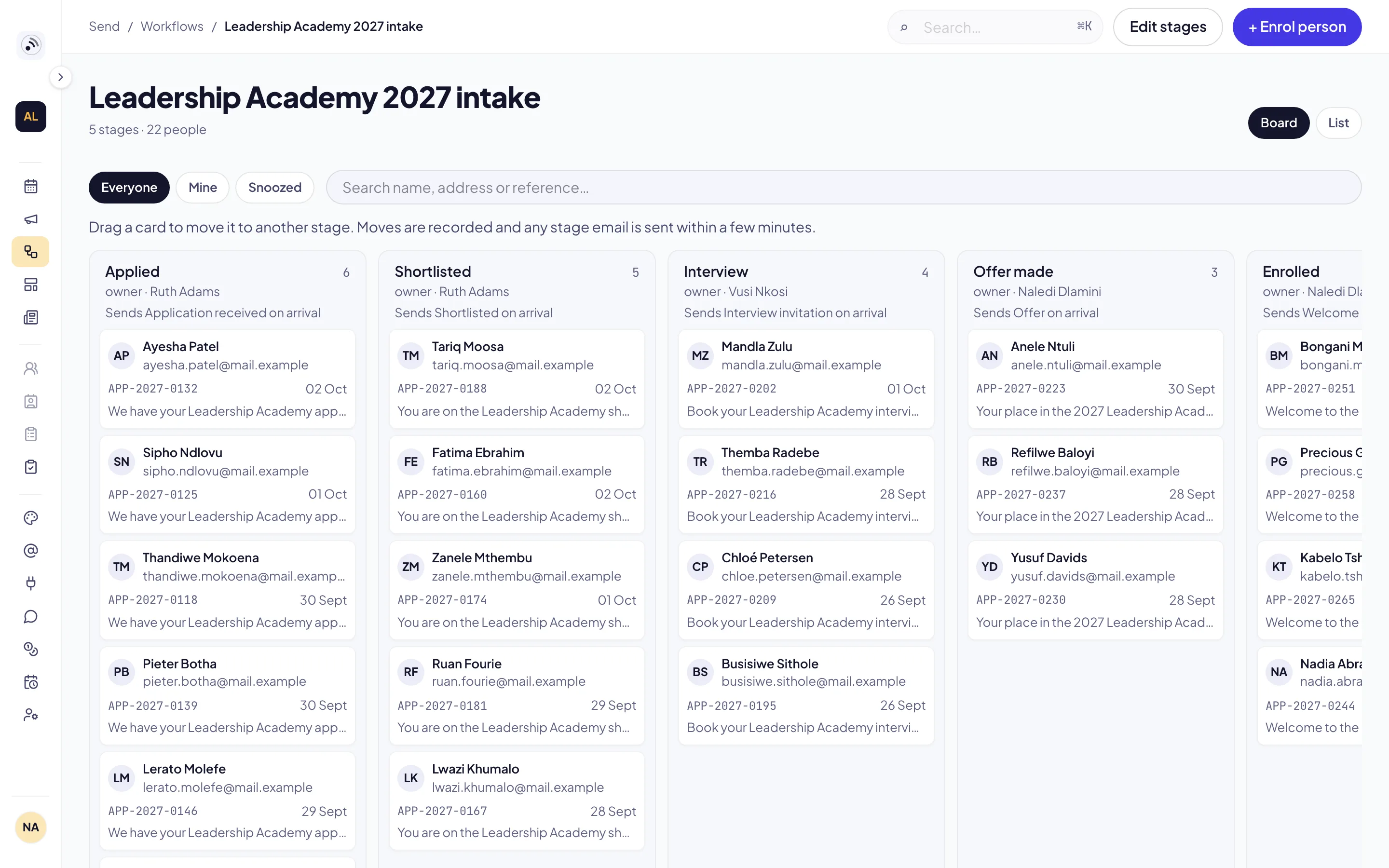
Find your way around
Sign in at reach.zavonpages.com/admin. You start on Workflows. The sidebar groups the console into Send (Calendar, Campaigns, Workflows, Templates, Newsletters), People (Surveys) and Setup (Themes, Sending domains, Integrations, WhatsApp, Credits, Working days, Users). You see only the screens your role allows.
Take the tour
The first time you open Reach, a short tour points out where to start. To see it again, open your account menu at the foot of the sidebar and choose Take the tour. Documentation in the same menu brings you back to these guides.
Guides
SendSend a newsletterCreate a publication, design an issue, test it and send or schedule it.Read the guidePeopleBuild your audienceLists from Planning Center, sign-ups from your website, and what each person controls.Read the guideWorkflowsCreate your first workflowA trigger, steps and a test run — then switch it on and follow people on the board.Read the guideWorkflowsSee a workflow as a treeEvery workflow drawn as a tree of steps and the ways between them.Read the guideEventsTickets on WhatsAppSend each attendee their ticket and QR code on WhatsApp when they register.Read the guide