
AI product details
Overview
In Shop, AI assistance writes the title, description and tags of a product from its photo. During an import, it suggests better details for each product. Shop managers check every suggestion before they save it.
Before you start
Zavon must turn on AI assistance for your organisation. See AI assistance.
You need a role that can edit products, with AI assistance. To improve an import, the role must also manage products. See Roles and access.
Write details from a photo
Open the product
In the sidebar, select Products. Then open the product.
Add a photo
If the product has no photo, upload one first.
Start
Select Write details from photo. Then select Generate.
Check the details
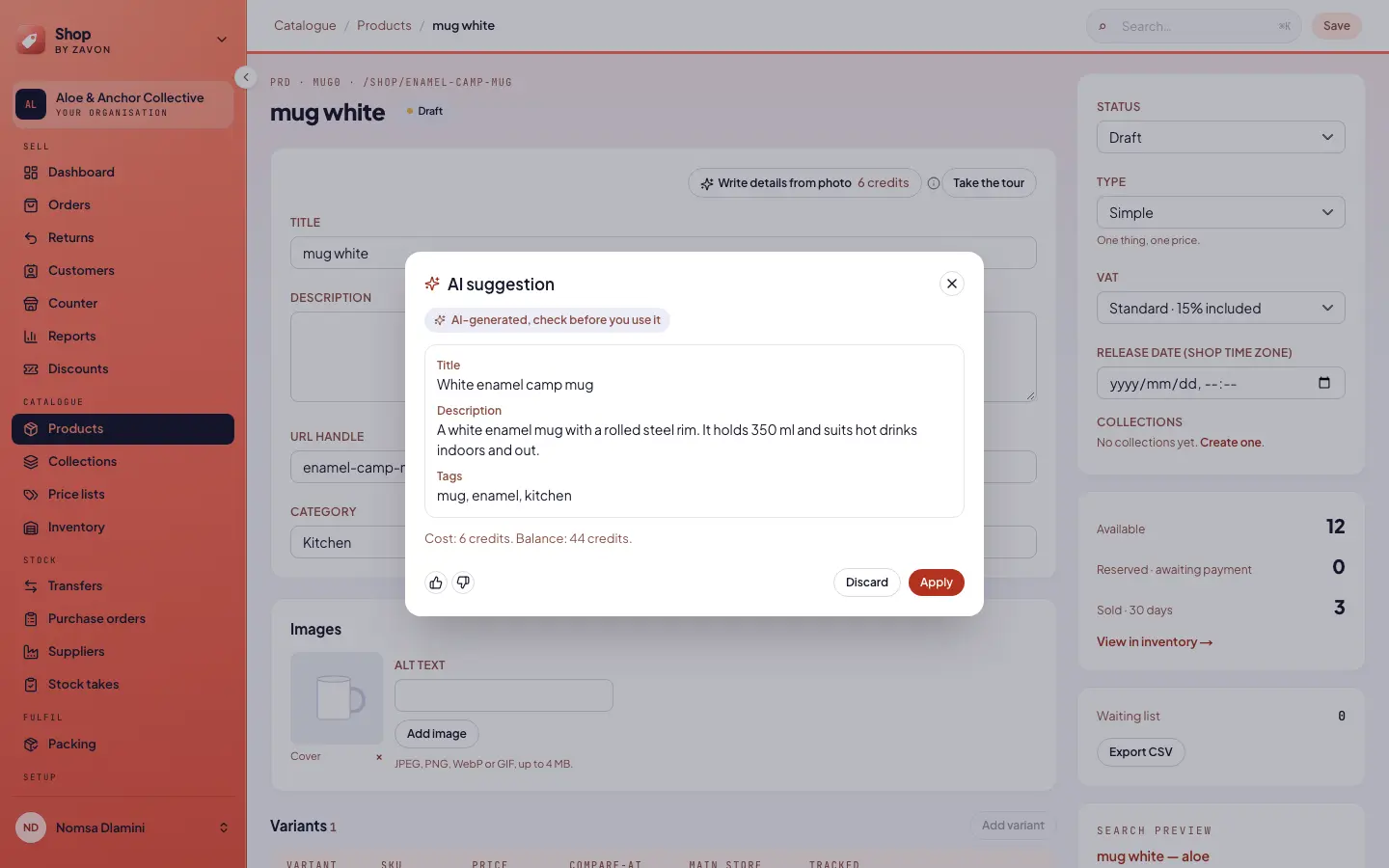
Review the title, description and tags in AI suggestion.
Apply and save
Select Apply. The fields are filled but not saved. Then select Save.
Improve the details of an import
Open the import
In the sidebar, select Products. Then select Import.
Read the file
Upload the file and select Dry run. Read the rows that Shop found.
Start
Select Improve details. The price is for each product. Then select Generate.
Wait for the suggestions
Wait while AI assistance writes the suggestions. This can take a few minutes.
Choose what to keep
Review each suggestion. Turn on Apply for the ones that you want. Then select Apply.
Import
Start the import as usual. Nothing is imported until you start it.
Troubleshooting
If you do not see the AI buttons, AI assistance is off for your organisation. See AI assistance.
If Write details from photo is grey, add a photo to the product first.
If a button is grey for another reason, hold the pointer on the information icon. It gives the reason.
Good to know
Prices and stock. AI assistance does not set prices, stock or VAT. You set them yourself.
Your words. Check names, sizes and materials against the product. The photo can mislead.
Drafts only. AI assistance does not save or publish a product.
Tour. In the product editor, select Take the tour beside Write details from photo. Or select Show me in What’s new. The tour shows each AI button that is on the screen. A new AI button shows a New marker until you use it.
AI assistance: credits, permissions and privacy.
Add your first product: the product editor.
Shop: getting started: roles and the checklist.