
Zavon

Pages by Zavon

Your website, events and people — in one console.

Design every page visually, sell tickets, take applications and keep track of the people behind it all. Pages gives every location its own site and every team the tools to run it.
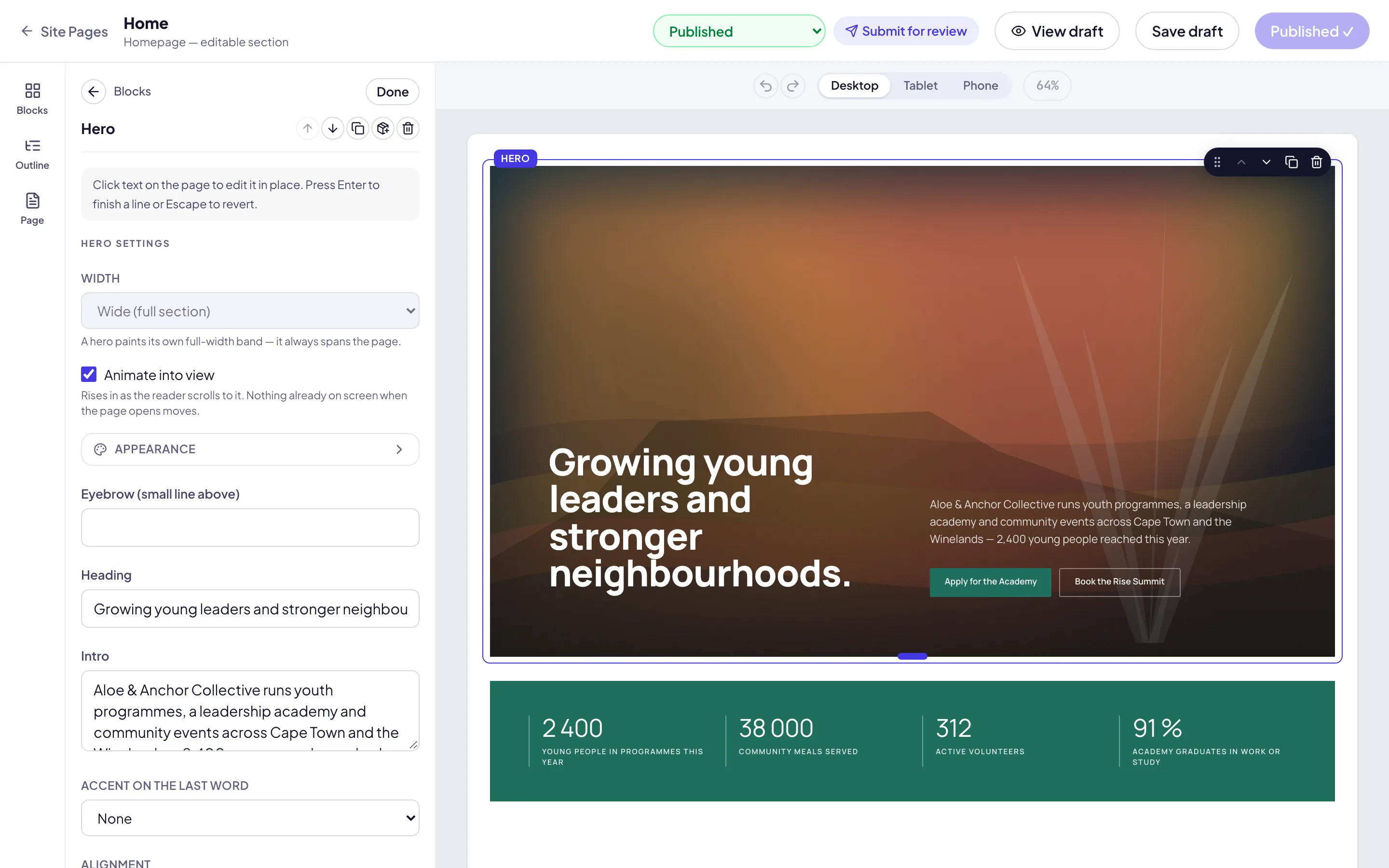
The Pages editor, editing a homepage in place
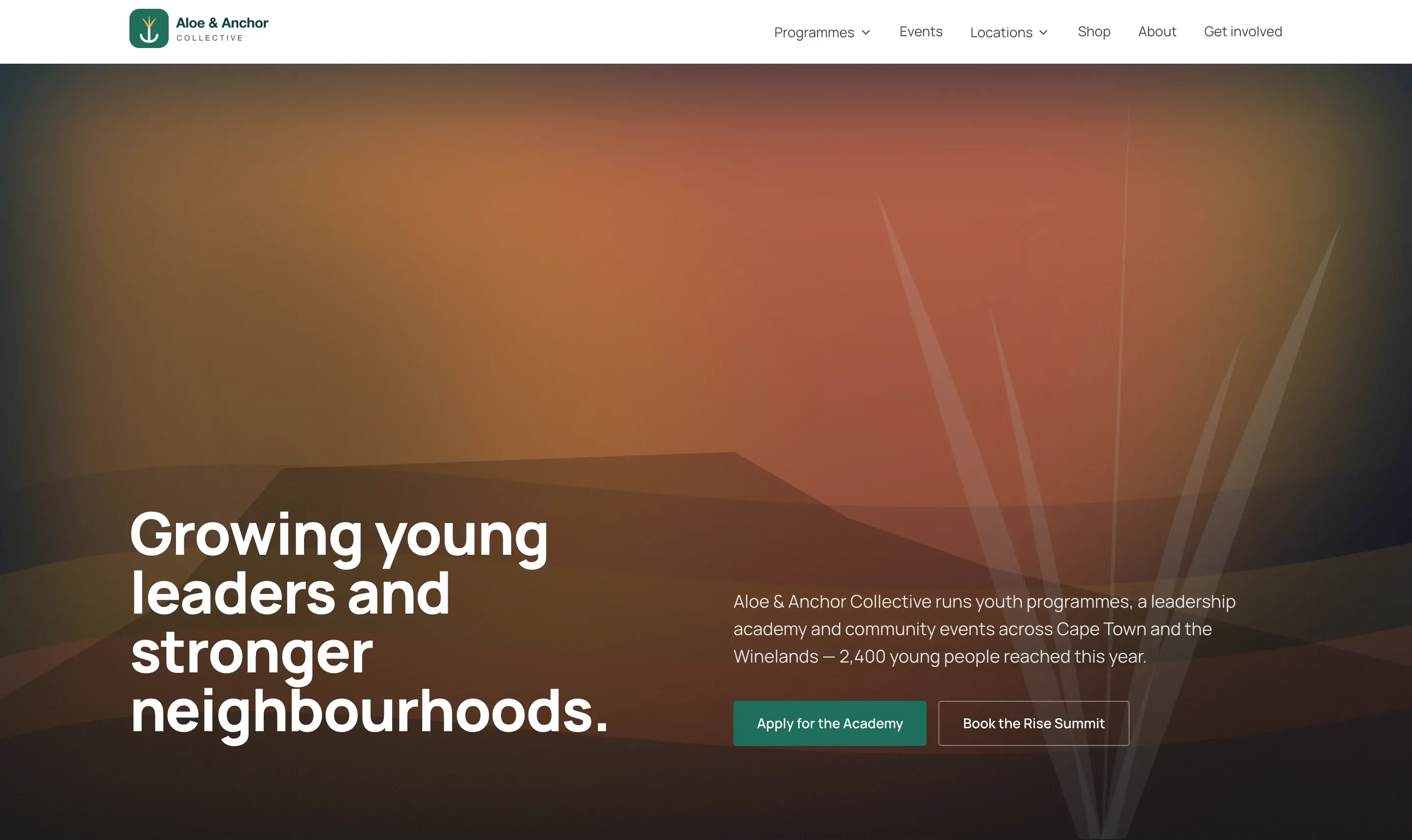
A community organisation's website built with Pages by Zavon
A website built in the Pages editor, shown with a fictional community organisation.
  • 50+

    Blocks to build any page

  • 1

    Console for site, events, people and payments

  • 0

    Cookies in your analytics

  • 3

    South African payment gateways

Website builder

Design on the page, not in a form.

Type straight onto the canvas, drag in blocks and see exactly what visitors will see. Heroes, galleries, pricing tables, FAQs, maps, forms and storefront sections are all built in, and components you build yourself keep every page on brand. Drafts, review and share-link previews mean nothing goes live until it is ready.
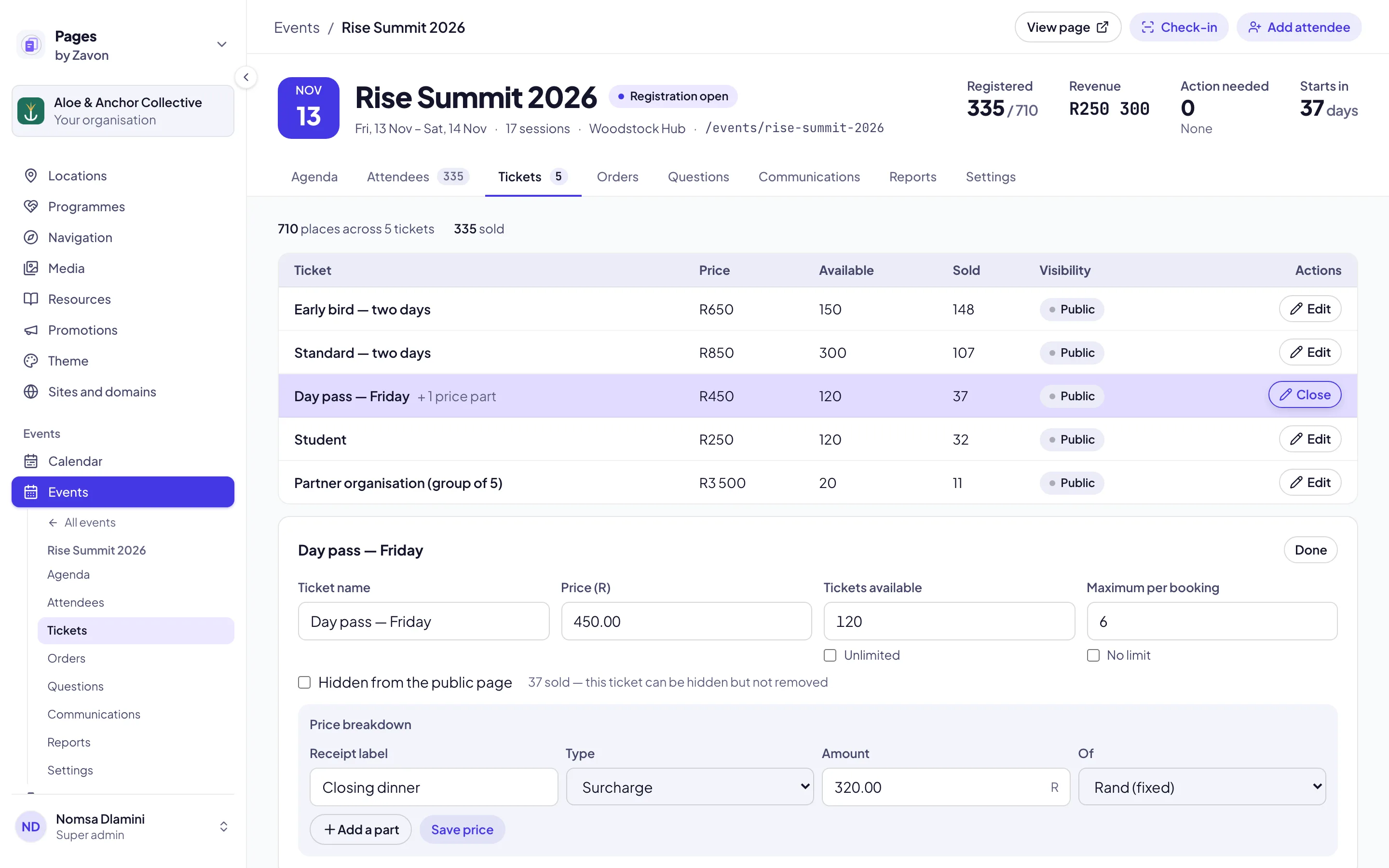
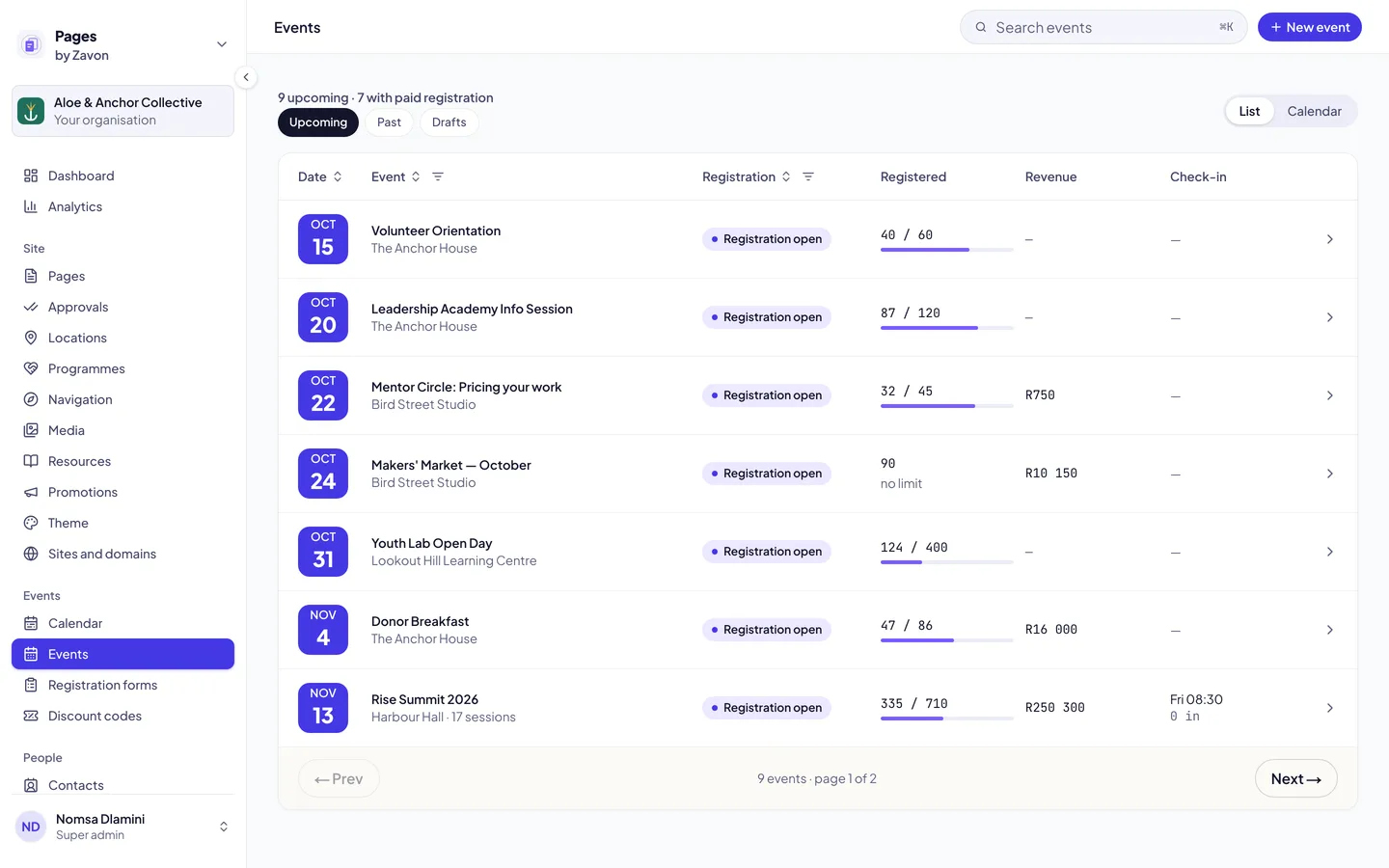
Events and ticketing that handle the details

Build ticket prices from named parts — a member discount, a dinner add-on — and add discount codes, custom questions and a waiting list that offers released places with a paid hold. Every event has its own People, Money and Report views.
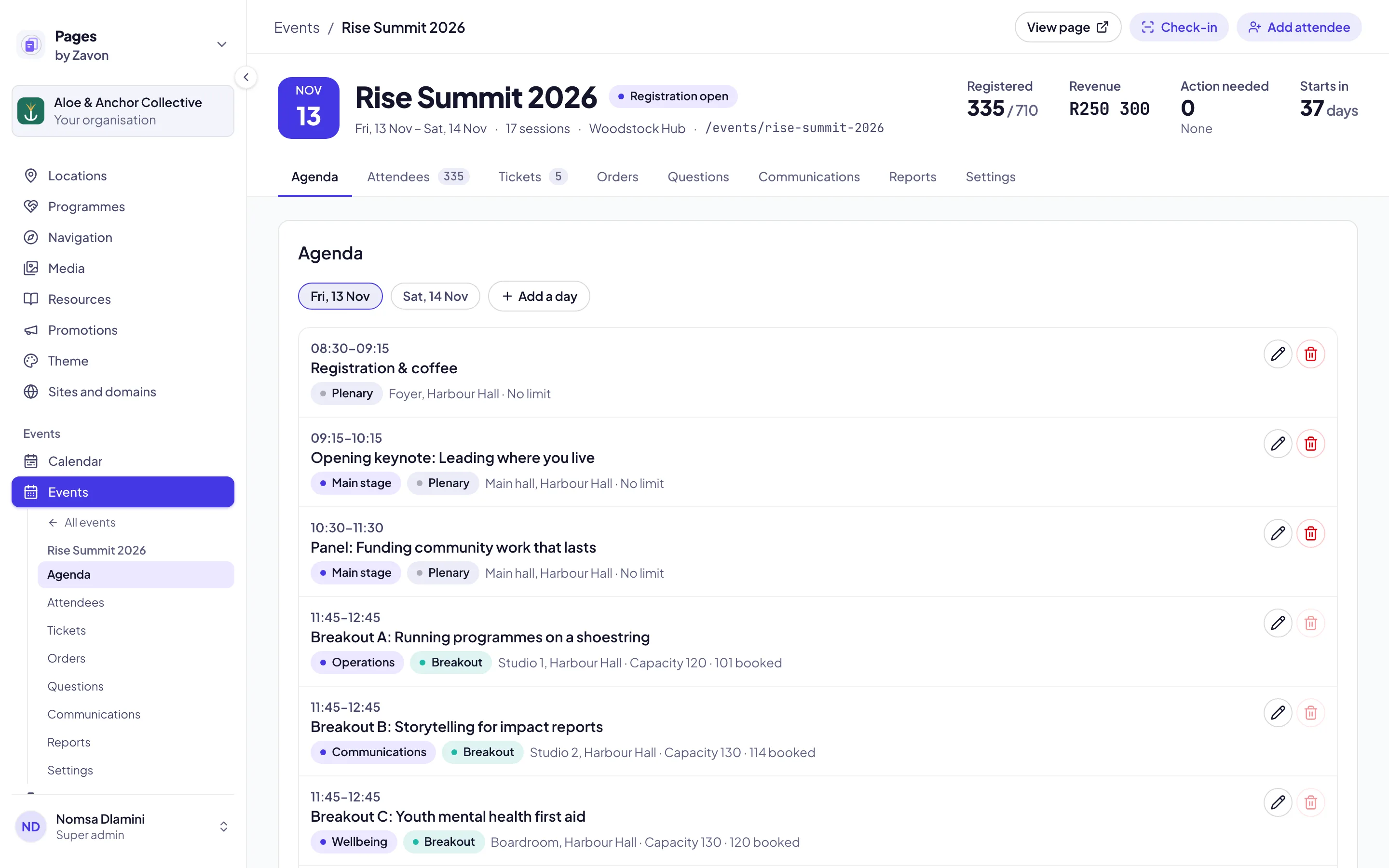
Multi-day agendas with breakouts

Lay out sessions across days, parallel tracks and rooms. Attendees book the breakouts they want, and their reminders follow their own choices.
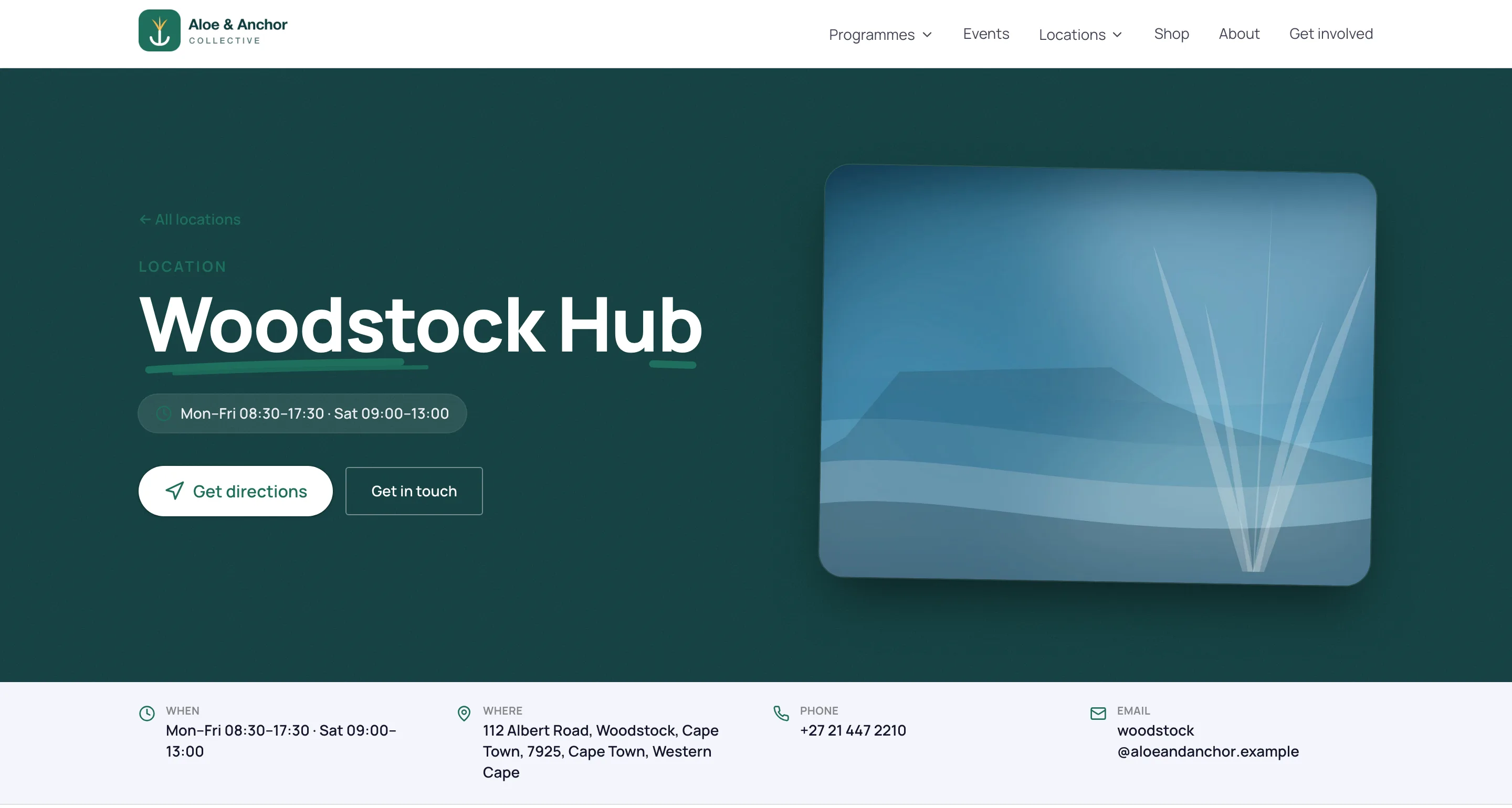
Every location, its own pages

Give each location its own pages, navigation, team and venues — or a full sub-site. Visitors find the nearest one on a map with clusters, filters and an icon for each kind of location.
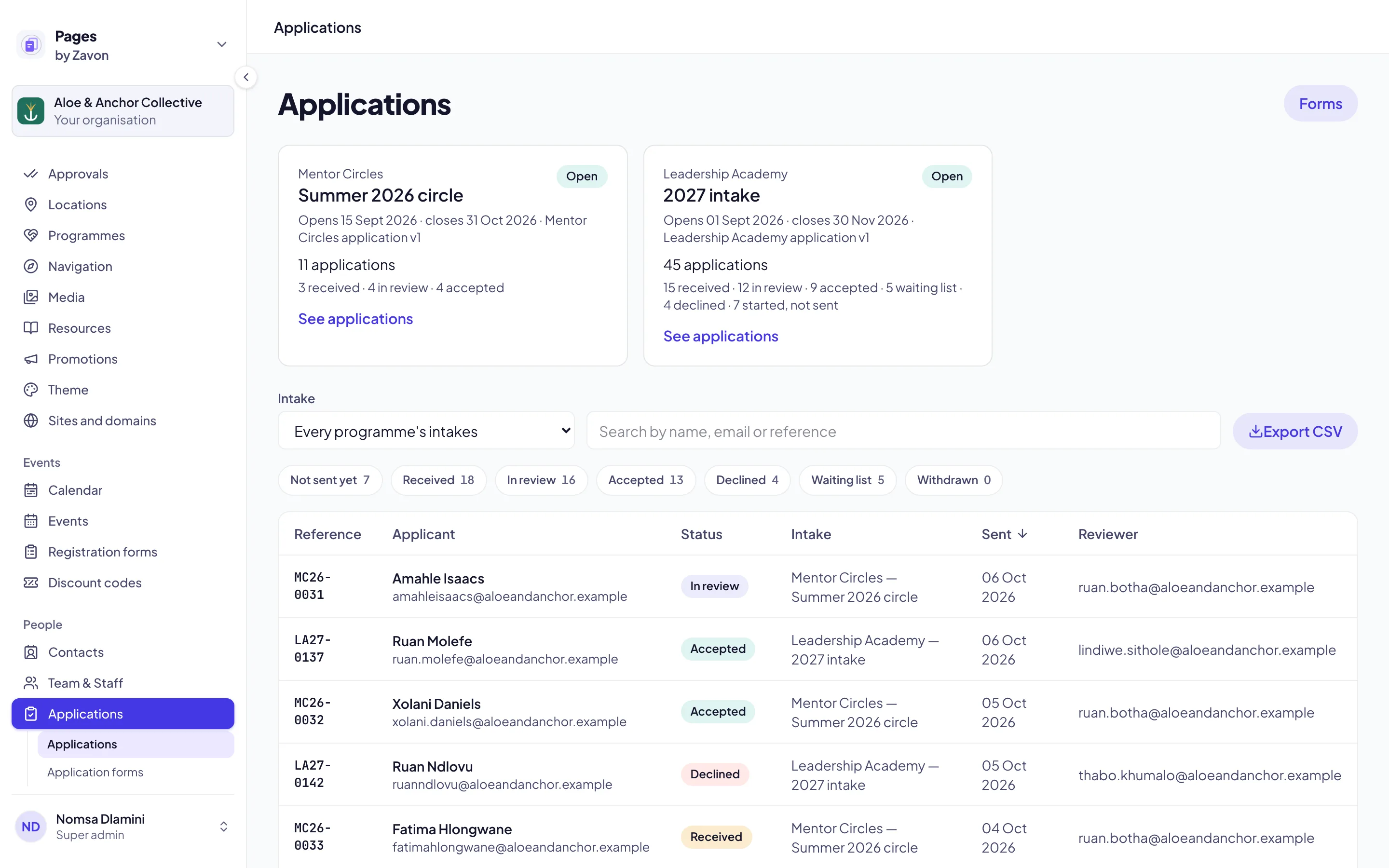
Programmes and applications

Multi-stage application forms with uploads and conditional questions, embeddable anywhere on your site. Applicants follow their own status page while a workflow moves each application along. Accepted applicants join a cohort, new cohorts open on a schedule, and graduates are tagged in Reach for follow-up.
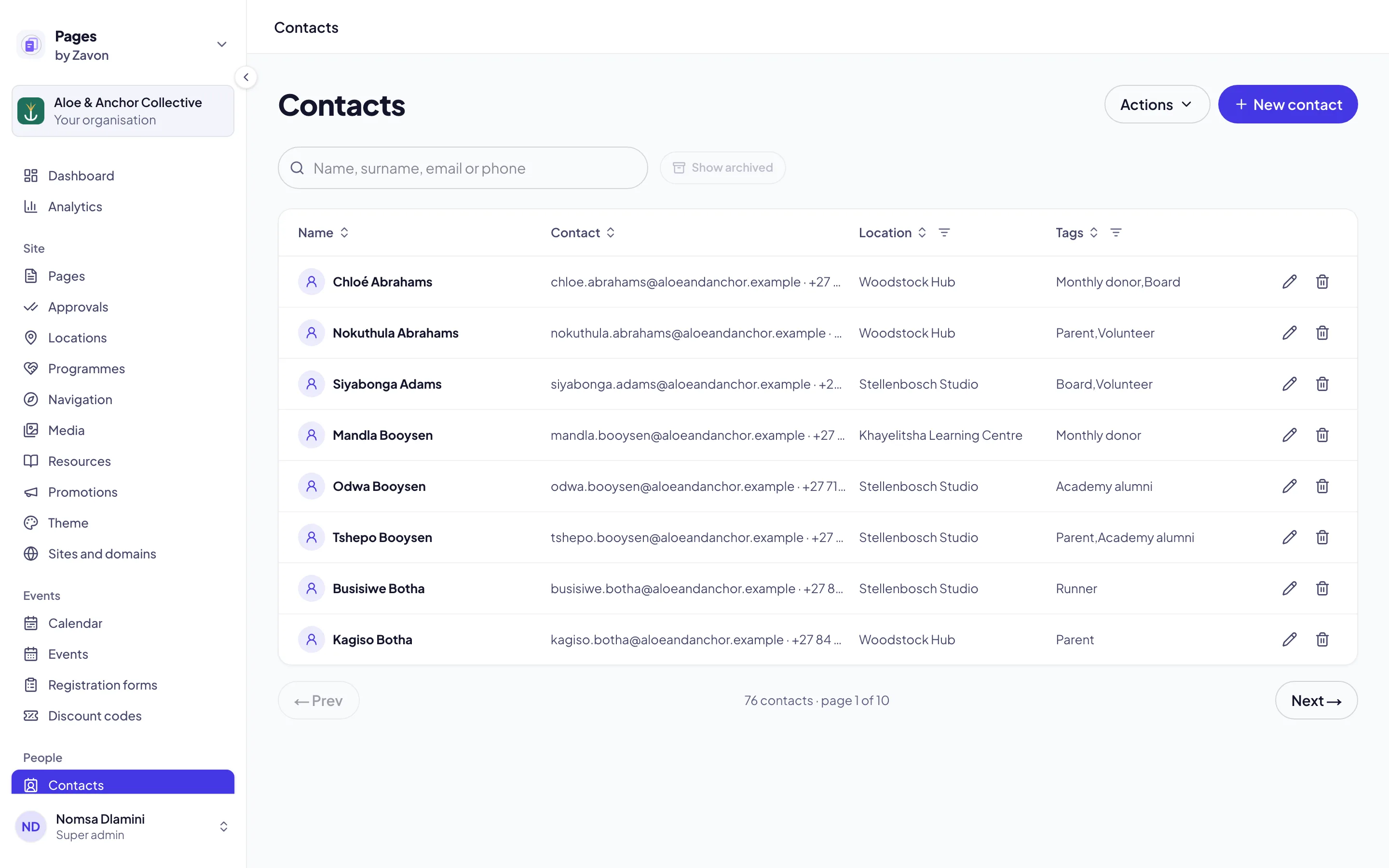
The people behind it all

Birthdays, anniversaries and family links in one people directory.
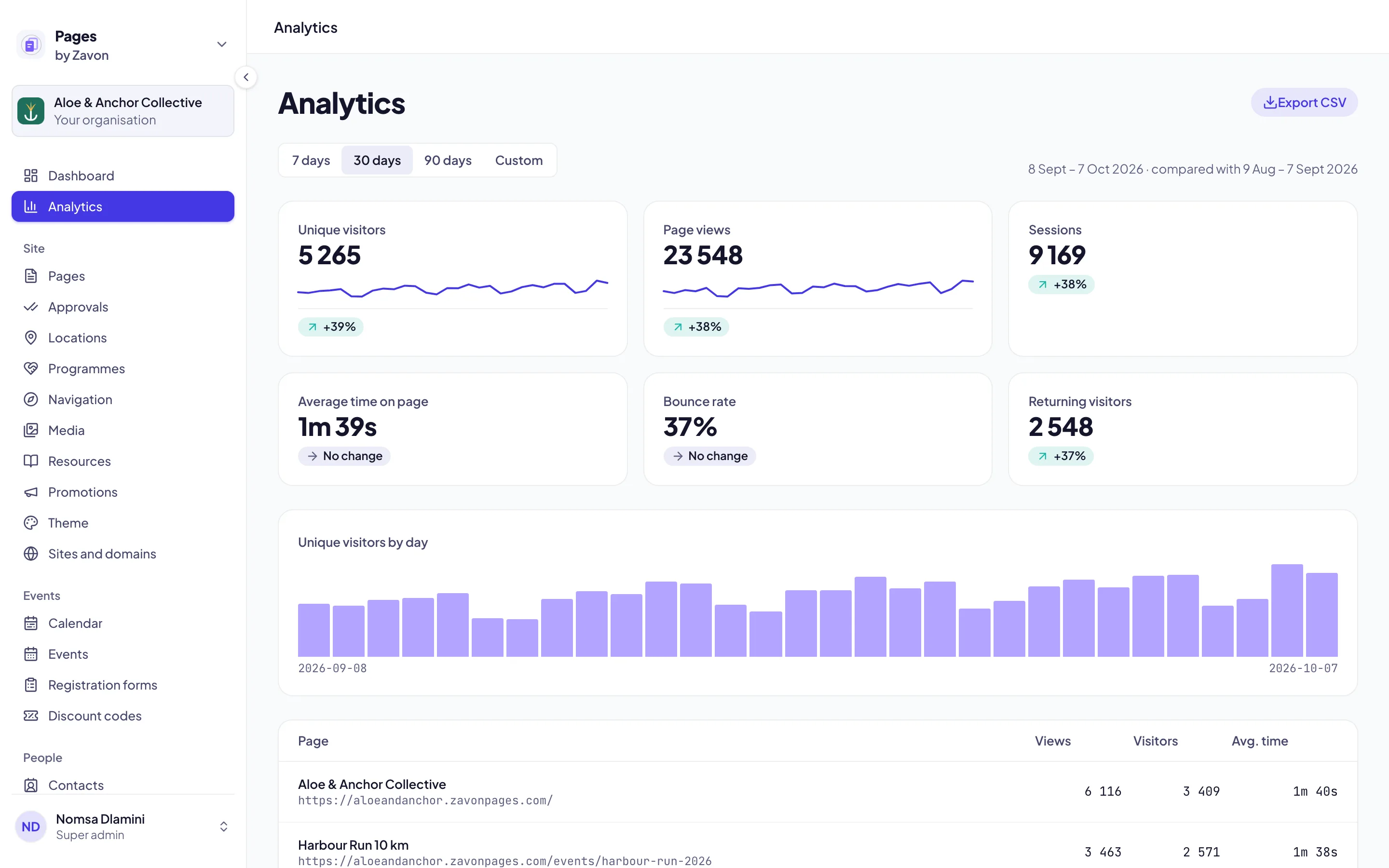
Analytics without cookies

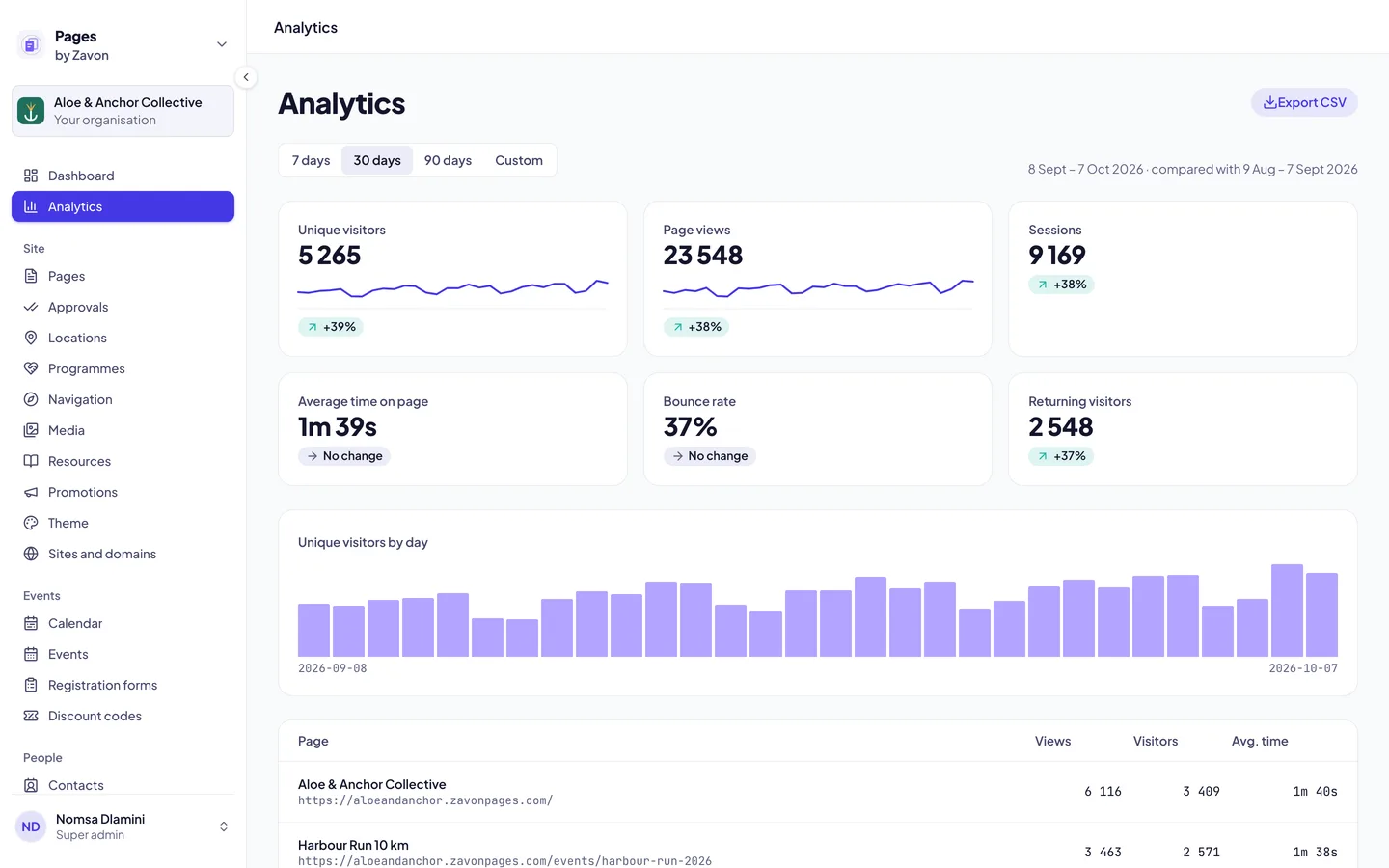
Unique visitors, time on page, top pages, sources, devices and countries — plus event and shop revenue. No cookies and no stored IP addresses: visits are counted with an anonymous value that changes every day.

Everything else a serious website needs
SEOFound on Google and in AI searchPer-page titles and descriptions, a sitemap that updates itself, structured data and redirects that keep old links working.
DomainsYour own domain, in minutesWe show the DNS records the way your mail provider would, and can email them straight to whoever manages your domain.
Recurring eventsEvery date is a real dateWeekly and monthly events with their own registrations, and edits to this date, this and following, or all.
Check-inA door app your team will likeCheck people in at the door from a phone, and connect a scanner or kiosk of your own through the documented check-in API.
PaymentsPaid where it should beEach location can take payments into its own account through its own payment gateway, with a clear ledger behind it.
GovernanceApprovals, roles and an audit trailPages can require approval before publishing, with approvals and their rules together in the Workflows section. Roles are scoped by a simple wizard, and every change is in the activity log. Editors see who else is working on a page or a component, and when two people save at once both versions are kept for an approver to merge.
TicketsTickets with a scannable QR codeEvery ticket carries a QR code the door app scans, in the confirmation email and on the attendee's ticket page. With an approved WhatsApp ticket template, set up with you, it goes out on WhatsApp too.
CalendarsAdd to calendar from every confirmationEach confirmation links to Google Calendar, Outlook and Office 365 and attaches a calendar file for Apple Calendar, with the venue, the ticket and reminders.
TransfersPass a ticket onAttendees can transfer a ticket to someone else from their ticket page, and the old QR code stops working. Organisers can waive the transfer fee or switch transfers off.
Calendar feedsSubscribe to the calendarVisitors subscribe to your events in Apple Calendar, Google Calendar or Outlook, for the whole site, one location or one programme, and new events appear by themselves.
ContactA WhatsApp button on every pageA floating button opens a WhatsApp chat with a message ready to send, or a call, an email or your contact page, on every page or only the ones you choose.
SearchSearch across your siteTurn on a search button in the header, and visitors find your published pages, posts and events on one results page.
EventsA landing page for every conferenceBuild the page from blocks, and its tickets, schedule and speakers come from the event, so prices and sessions are kept in one place.Read the guideBlogA blog with a real editorWrite posts in a document editor with headings, lists, quotes, pictures and video. Publish or schedule them, keep every version, offer an RSS feed, and send a post to your subscribers as a newsletter draft in Reach.Read the guideCommentsComment as in a shared documentComment on words or a block of a post or a page, mention a colleague, reply in the thread and resolve it. A mention arrives by email and in My work.Read the guideTalksTalks with a podcast feedPublish talks with video, audio and notes, group them in series, and offer the audio as a podcast for Apple Podcasts and Spotify.Read the guideLive streamLive now, on a scheduleSet your weekly stream times once. The site shows the stream while you are live and your latest talk in between.Read the guideDonationsOnline donations, one-off or monthlyTake donations to the funds you choose, each paid into the right account, with an emailed receipt and a link the donor can use to stop a monthly gift.Read the guidePeopleProfiles with filtersKeep your fellows, board or speakers in one list and show them on any page as cards, filtered by cohort and by person, with long biographies behind Read more.Read the guideDesign70 fonts, colour and motionChoose from more than 70 free fonts, add your accent colour to the section bands and let cards rise in as visitors scroll. Choose how blocks arrive, how cards and buttons react to the pointer and how one page gives way to the next. Movement stops for visitors who ask for reduced motion.Read the guideDesign systemA design system with versionsSet your type scale, spacing, corners, shadows, icons and loading animation in one place, beside a live specimen. Changes wait in a draft until you publish them, and every published version can be restored.Read the guideComponentsBuild your own componentsBuild cards, bands and lists from parts, in your own design system. Fill them with your published events, locations, programmes, profiles, posts or talks, with filters visitors can use. Videos, live streams and maps are parts too.Read the guideDesign approvalsDesign changes, approved firstA new version of a component or of the design system goes to an approver before it reaches your pages. They see what changed in plain words, before and after at desktop and phone width, and every page that uses it.Read the guideAI assistanceDrafts from a short descriptionDescribe a section or a page and get a draft in your own blocks. AI assistance also suggests theme colours, search text and alt text, and draws short animations in your theme’s colours for your components. Each draft has the label “AI-generated, check before you use it”. You check it, then you save and publish. The price in credits shows on the button. Zavon turns on AI assistance for each organisation.Read the guide

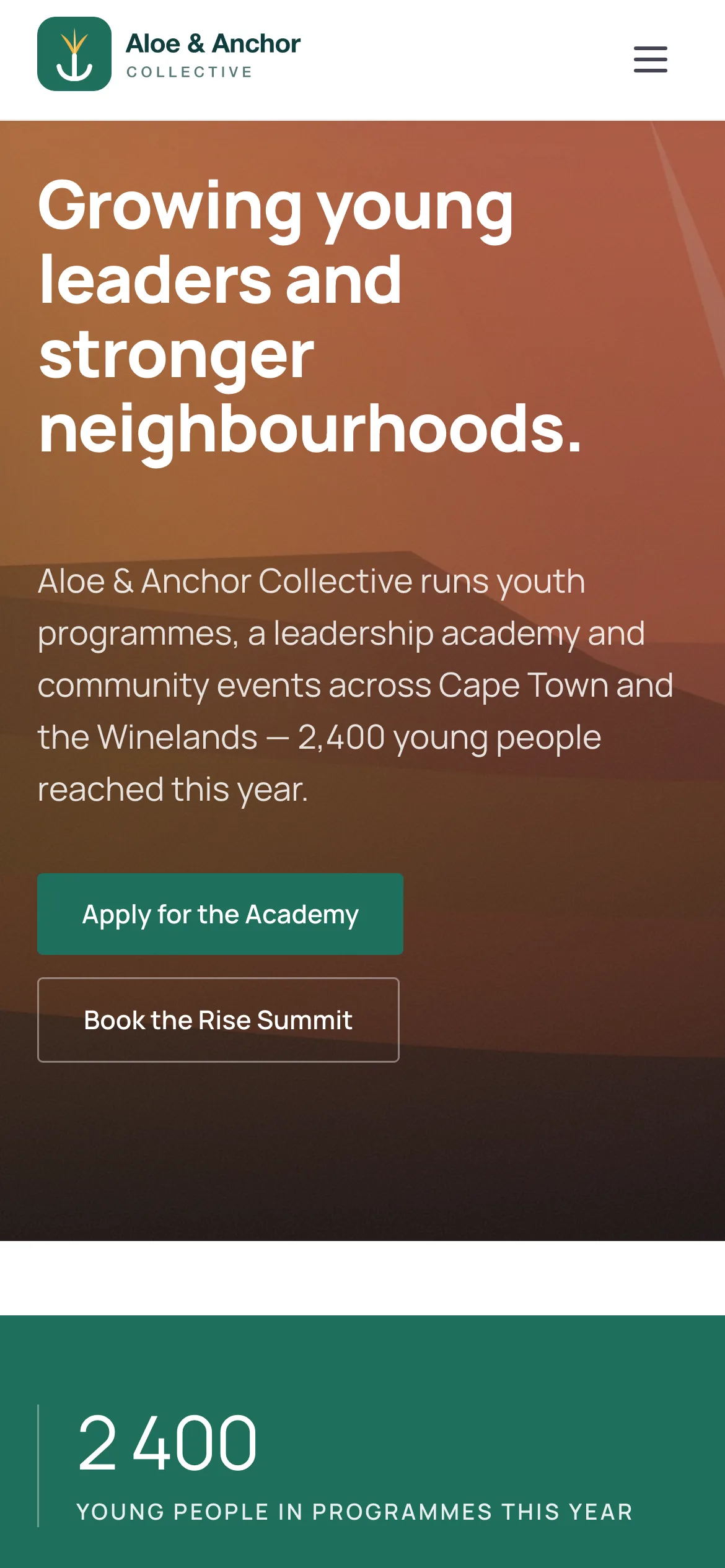
On every screen

Looks right on every phone.

Every block is designed for mobile first, so your site, your event pages and your checkout work as well on a phone as they do on a laptop. Your words, your colours, your fonts — on every screen.

Book a demo

Your next website is one conversation away.

See Pages with your own events, locations and people in it.