
Live stream
Overview
Organisations that broadcast every week show “Live now” and the stream on their site while they are live, and the latest talk the rest of the week. Administrators set the stream address and the schedule once.
Set it up
Stream address
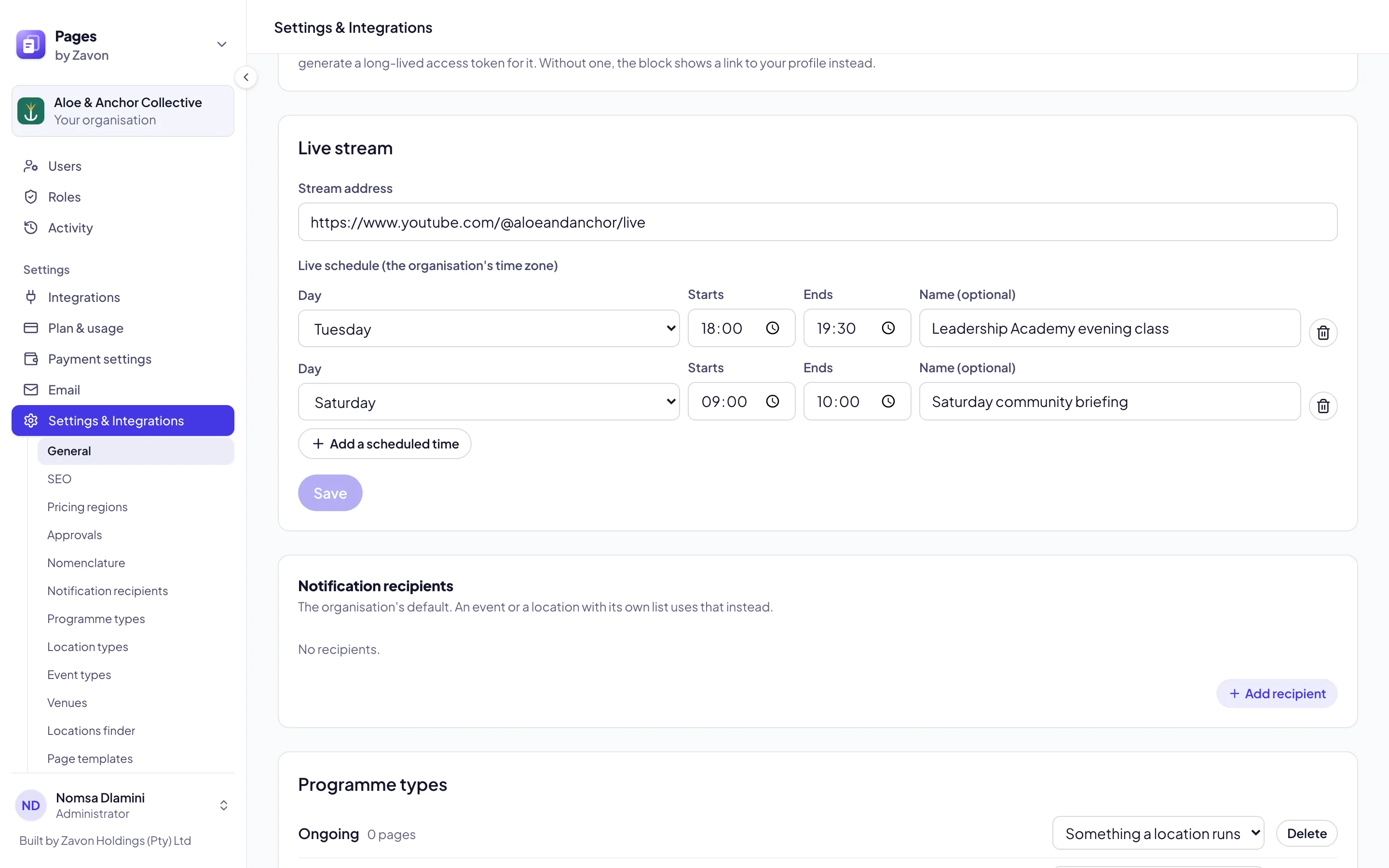
Under Settings & Integrations → General, find Live stream and enter the Stream address.
Live schedule
Choose Add a scheduled time for each weekly stream: the Day, Starts, Ends and a Name (optional). Times are in your organisation’s time zone. Choose Save.
Add the block
Add the Live stream block to a page. During a scheduled time it shows the stream; between streams it shows the next one and, unless you switch off Show the latest talk between live streams, your latest talk.
Good to know
The site shows a change within five minutes. To publish the recording afterwards, add it as a talk: see Talks and the podcast feed.