
A person’s profile
Overview
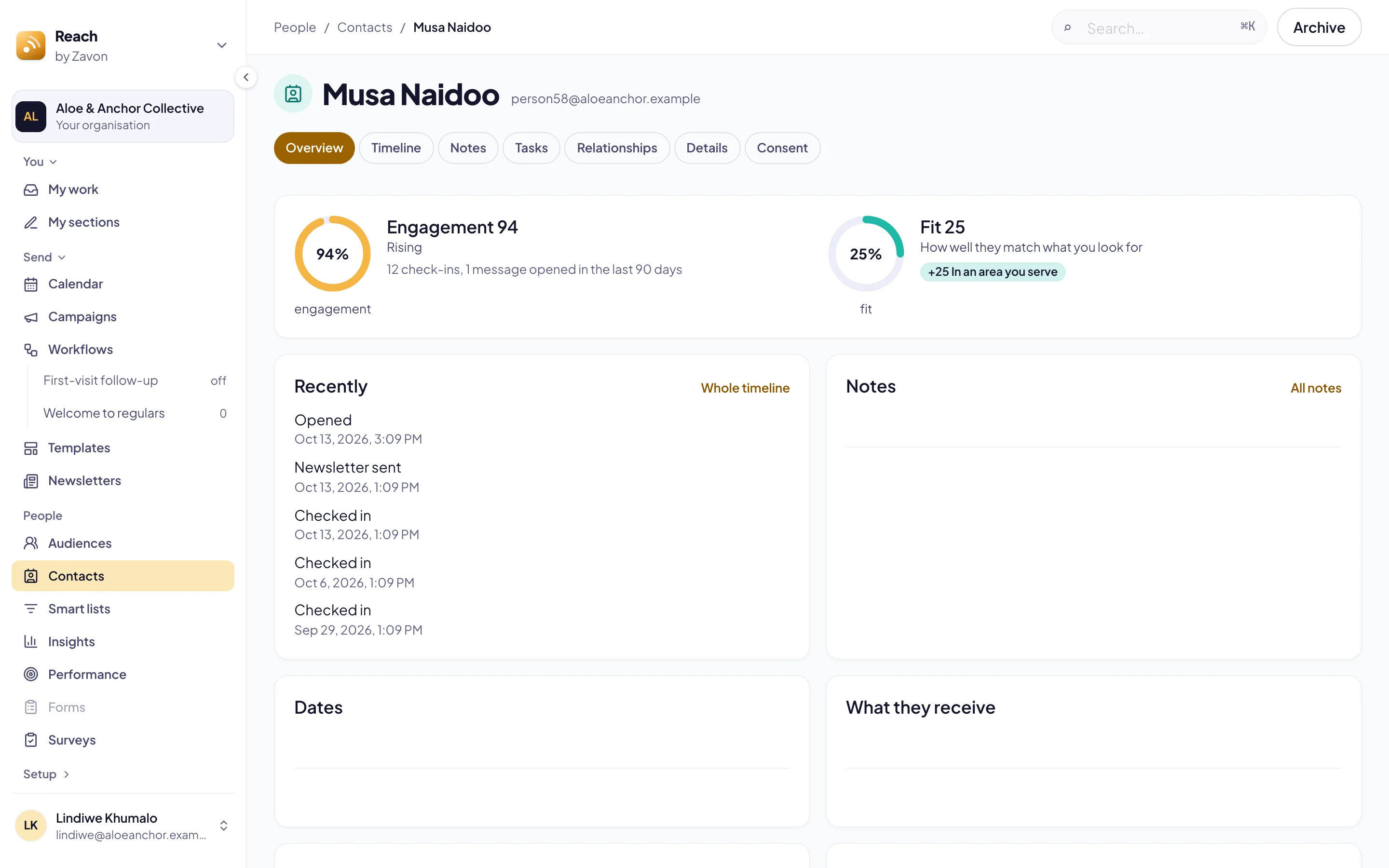
A person’s profile shows everything Reach knows about one person. The overview gives their engagement, their fit and what they receive. The timeline lists what they did and what you sent them, newest first.
Before you start
You need a role that can read people.
The timeline fills itself from registrations, check-ins, emails, list changes, tags and workflows. You do not add to it by hand.
Read the overview
Open the person
In the sidebar, select People › Contacts. Then open the person.
Read the scores
On Overview, read Engagement and Fit. Each one shows the reasons for its number.
Read what they receive
Under What they receive, read the lists and newsletters they are subscribed to.
Summarise
If AI assistance is on, select Summarise. A short summary of the person shows.
Read the timeline
Open the timeline
Select the Timeline tab. The newest activity shows first.
Show one kind
Set Show only to one kind of activity. Select Everything to show all again.
See the emails sent to a person
Open the emails
Select the Communication tab. Each row is one email Reach sent to the person, with its Subject, Source and Status.
Filter the list
Select Filter to show one Kind, Newsletter or Status.
See the copy
Select View email in a row. The copy the person got opens beside the list.
Troubleshooting
If Fit does not show, your organisation has no fit rules yet. See People fields.
If the overview says notes are not shown to you, your role cannot read notes. Ask an administrator.
If View email is not available, your role cannot open where the email came from, such as its newsletter or workflow.
Good to know
Engagement. Engagement is points for what the person did in the last 90 days. Recent things count more.
Lapsing. A person is lapsing when they are away for more than twice their usual gap between visits.
Only what you may see. Some activity, such as wellbeing, shows only to roles that may read it.
Exact copy. A copy marked Exact copy matches the record taken when it was sent. A Reconstructed copy is drawn again from the issue.
Notes and tasks: write down a call or a visit, and give a colleague a task.
People fields: stages, fields and fit.
Insights: the whole community at a glance.