
Data protection
Overview
Data protection keeps your organisation’s consent purposes, the requests people make about their data, and how long you keep it. The Information Officer uses it to answer requests on time and to show what each person agreed to.
Before you start
You need a role that can manage data protection. The Data protection role has it.
Requests have a 30-day clock from the day you receive them. Record a request on the day it arrives.
Set up purposes
Open Data protection
In the sidebar, select Setup › Data protection. Then select the Purposes tab.
Start from the starting set
Select Install the starting purposes. Or select Add purpose and type its Purpose and Wording.
Set the lawful basis
Set the Lawful basis of each purpose. Select Special for special personal information.
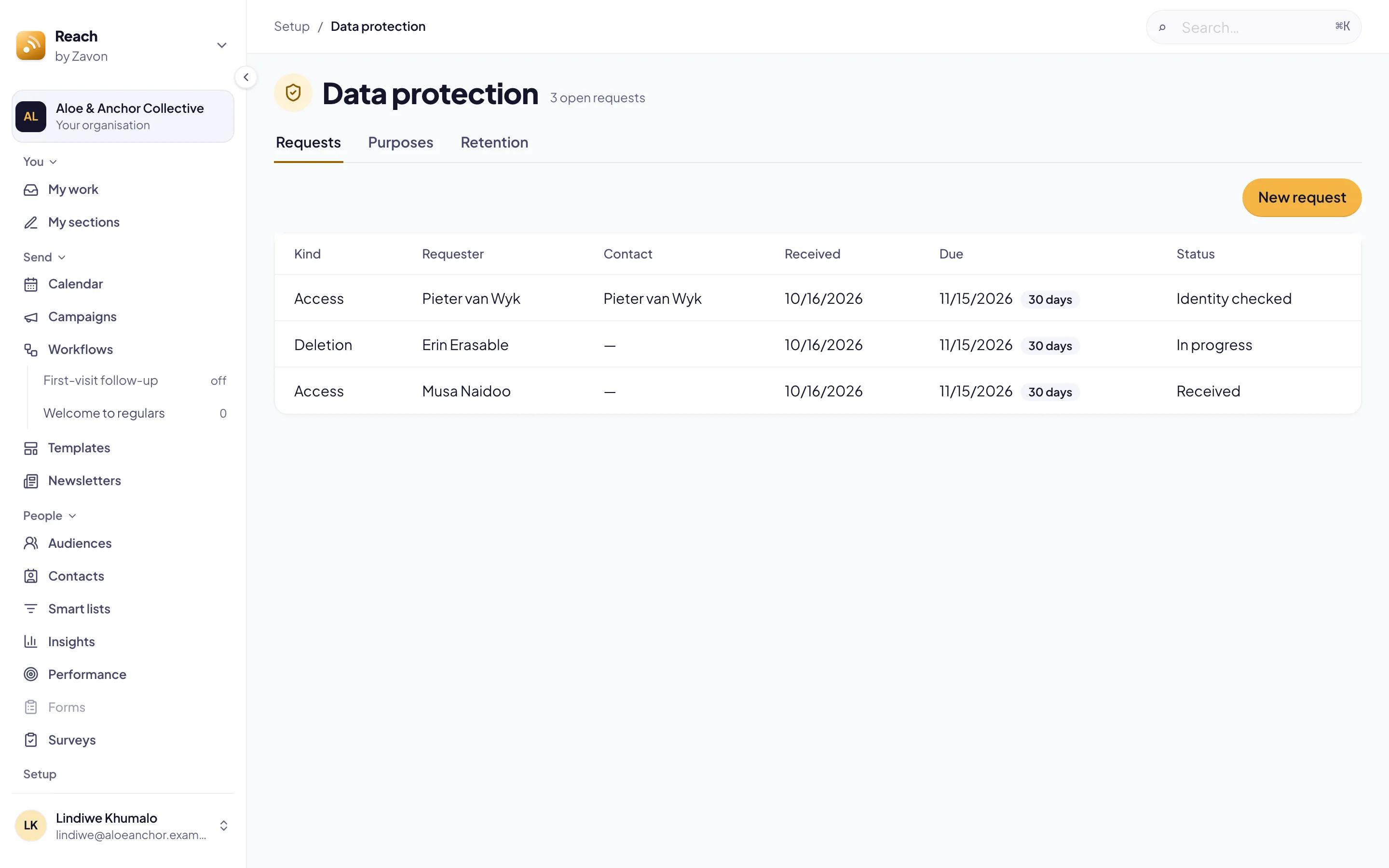
Answer a request
Record it
Select the Requests tab. Select New request. Set the Kind, type the Requester, the Contact details and What they asked. Then select Record request.
Link the contact
Open the request. Type in Find the contact and select Search. Then select Link beside the right person.
Check their identity
Type how you checked it in Note. Then select Identity checked.
Do the work
Select Start work. For an access request, select Download pack.
Erase, if asked
For a deletion request, select Erase personal data. Then select Erase to confirm.
Close it
Type the outcome in Note. Then select Complete, or Refuse with the reason.
Set how long to keep data
Open retention
Select the Retention tab.
Set the months
Type Keep for (months) for a kind of data. Then select Save.
Try it
Select Dry run. Last run shows how many records would change.
Turn it on
Select Switch on within a week of the dry run. Reach then runs it once a day.
Record a person’s consent
Open the person
Open the person. Then select the Consent tab.
Record
Set the State and How for a purpose. Then select Record. The record shows under History.
Troubleshooting
If Switch on is grey, run a dry run first.
If Dry run is grey, set how long to keep the data first.
If Task in My work says Not started, select Start core task again.
Good to know
Identity first. Nothing is handed over or changed before the identity is checked.
Erase keeps the record. Erase removes the person’s details, notes, tags and list places. What was sent to them, their consent records and their opt-outs stay.
An open request protects the person. Retention does not touch somebody with an open request.
Every step is recorded. Each step of a request is in the audit log before it happens.
A person’s profile: where the Consent tab is.
Import or export people: export what you keep.
Roles and access: give somebody the Data protection role.