
Colour and motion
Overview
Colour and motion make a site feel lively. Start from a preset such as Vivid, or set the motion and the section bands yourself. Readers who ask their device for reduced motion see no movement.
Before you start
You need a role with Theme: edit. See Roles and access.
Start from Vivid
Open the theme
In the sidebar, select Site › Theme.
Select the preset
Select Starting point. Select Vivid.
Save
Select Save theme. The site uses the Vivid colours, fonts and motion.
Set motion and bands
Open the type settings
Select Type & shape.
Set the motion
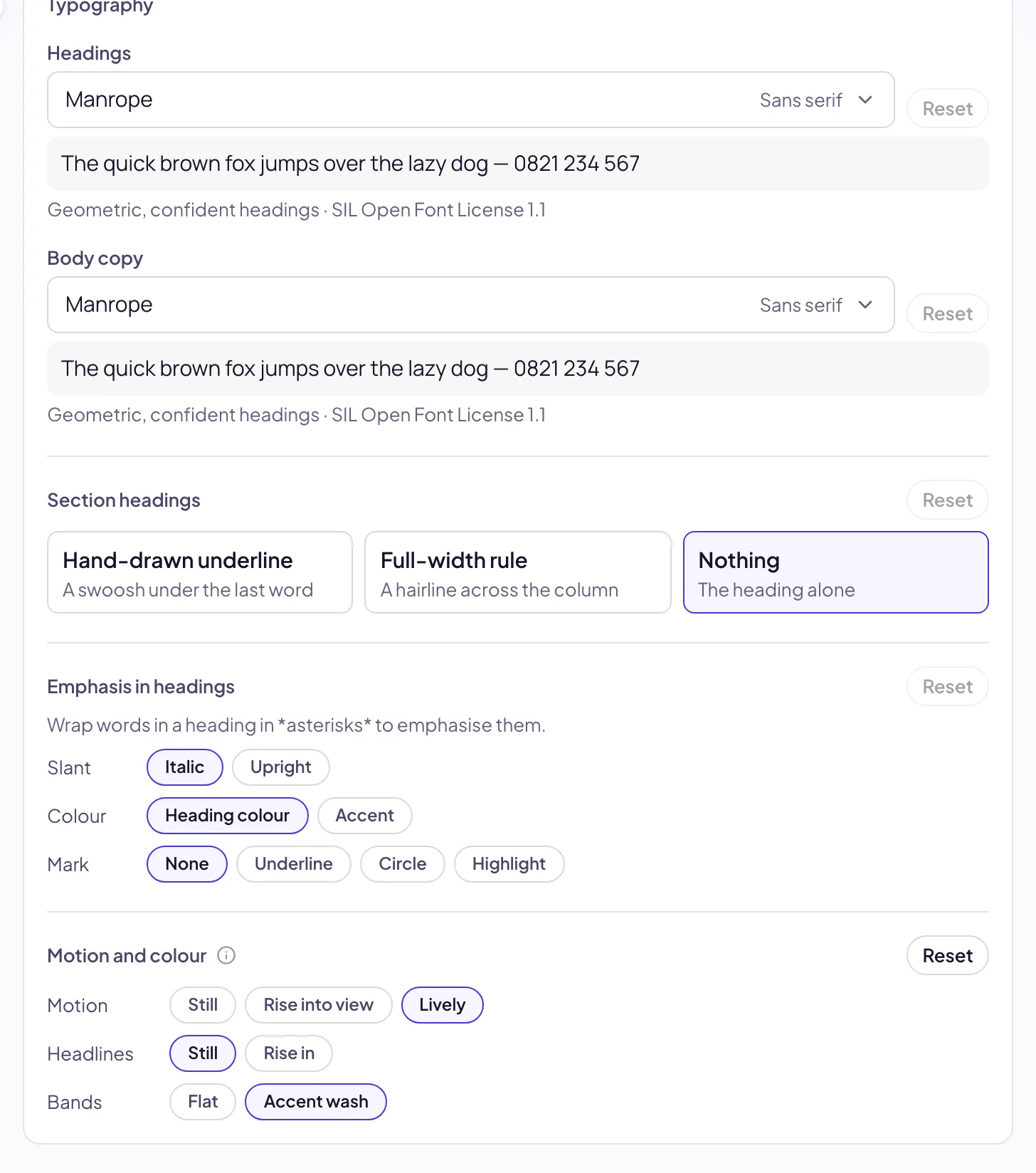
Under Motion and colour, set Motion to Still, Rise into view or Lively.
Set the headlines
Set Headlines to Rise in. The headline of a hero rises in, word by word.
Set the bands
Set Bands to Accent wash. The section bands show your accent colour.
Save
Select Save theme. Open your site to see the result.
Troubleshooting
If nothing moves on your device, your device asks for reduced motion, or Motion is Still.
If the section bands show no colour, set Bands to Accent wash and select Save theme.
If the preset changed your fonts, set the fonts again under Type & shape. See Fonts.
Good to know
Rise into view. A block below the screen rises in when the reader scrolls to it. Blocks that are already on the screen do not move.
Lively. As Rise into view, and the cards in a block come up one after another.
Accent wash. A soft glow of your accent colour shows in the light bands and behind the dark bands.
Locations. The location pages and the location finder use your accent colour and the colour of each location type.
Reduced motion. Readers who ask their device for reduced motion see no movement, whatever the setting.
Theme: colours, the starting point and the preview.
Fonts: the fonts of headings and body text.
Locations: the places you work from.
Profile cards and profile lists: people with filters.