
Performance
Overview
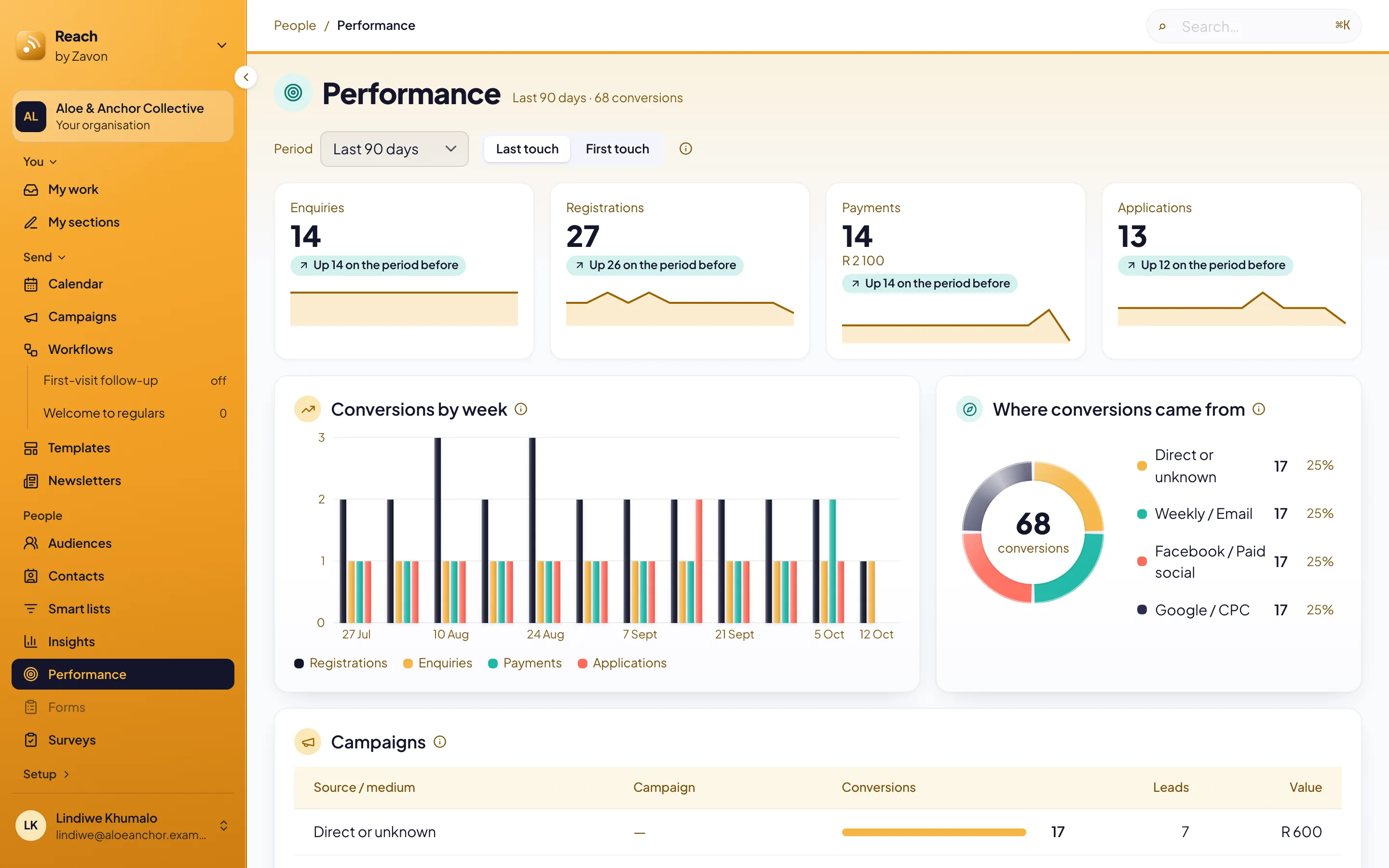
Performance shows the registrations, payments, applications, orders and enquiries that your campaigns brought in. Each one is credited to the campaign that brought the person. Communications teams use it to see which newsletters, posts and ads work.
Before you start
You need a role in Reach that can read reports.
Reach knows a campaign from the UTM tags on the link that brought the person. Turn on link tracking for your newsletters first. See Send a newsletter.
Read your results
Open Performance
In the sidebar, select People › Performance.
Set the period
Set Period to Last 7 days, Last 30 days, Last 90 days or Last 12 months.
Set the attribution
Select Last touch or First touch. Last touch credits the most recent campaign. First touch credits the first campaign.
Read the totals
Read the count of each kind, its value and its change since the period before.
Find what worked
Read the campaigns
Under Campaigns, read each source, medium and campaign with its conversions, leads and value.
Read the tracking
Under Tracking, read the share of conversions that arrived with a campaign.
Read the locations
Under Locations, read the conversions of each location by kind, with the value and the change.
Read a part
Point at a part of a bar. Its kind and count show under the bars.
Add ad spend
Open Ad spend
On Performance, select Ad spend.
Add the report
Set the Platform. Drag the daily spend report onto Report saved as CSV. Or select the button in the drop zone.
Map the columns
Under Match columns, set Becomes for each column. Set the Date format and the File currency.
Check the file
Select Check the file. Review shows the rows read and names any row it cannot read.
Import
Select Import N campaign days. Spend and return on Performance shows the cost per lead, the cost per conversion and the return on ad spend.
Add a rate
If spend is in another currency, set the Month, the Currency and the Rate under Exchange rates. Then select Save rate.
Undo an import
Under Imports, select Undo in its row. The row asks in place: select Undo import, or Keep import. Days it replaced go back.
Troubleshooting
If the screen shows No conversions yet, nothing has been counted yet. Conversions are counted as they happen.
If most conversions show Direct or unknown, the links had no UTM tags. Turn on link tracking for your newsletters.
If Locations shows only No location, your forms and events do not name a location yet.
Good to know
Counted once. A registration or an order that arrives twice is counted once. A refund counts against the order it refunds.
Direct or unknown. A conversion with no campaign is counted as Direct or unknown. It is never left out.
Labels as words. Reach shows a tag such as this-week as This week.
Send a newsletter: turn on link tracking.
Insights: how your community is doing this week.
Plan a campaign: plan the posts and emails around an event.